What is StilachiRAT malware?
In November 2024, Microsoft Incident Response researchers uncovered a remote access Trojan (RAT) called StilachiRAT. This discovery highlights the evolving nature of cyber threats, with the malware combining multiple malicious functions into a single tool for maximum impact.
Designed to evade detection and exfiltrate sensitive data, StilachiRAT steals credentials and extracts and decrypts usernames and passwords stored in Google Chrome. It performs extensive system reconnaissance, collecting details such as operating system information, BIOS (Basic Input/Output System) serial numbers, camera presence and active remote desktop protocol (RDP) sessions.
With a focus on stealing cryptocurrencies, StilachiRAT scans for up to 20 crypto wallet extensions within Chrome, including those from Coinbase, Fractal, Phantom, Manta and Bitget. It also monitors clipboard activity and running applications, specifically looking for sensitive information like passwords and private keys.
Although Microsoft has yet to attribute StilachiRAT to a specific threat actor or region, current observations indicate that it is not yet widely distributed as of March 2025. However, its advanced capabilities make it a significant cybersecurity concern.
Did you know? In November 2024, Microsoft Threat Intelligence found a North Korean hacking group called “Sapphire Sleet” involved in cryptocurrency theft and corporate espionage.
How hackers trick users into installing StilachiRAT
Hackers employ various deceptive tactics to trick users into installing malware like StilachiRAT using multiple vectors.
Such tactics include:
- Phishing emails: Attackers have been using phishing emails to trick recipients into opening malicious attachments or clicking on harmful links, leading to RAT malware installation. For instance, in November 2024, scamsters sent phishing emails targeting self-hosted help desk software for the delivery of AsyncRat, PureLog Stealer and XWorm RATs.
- Fake browser extensions: Cybercriminals develop counterfeit browser extensions that mimic popular ones. When users install these malicious extensions, they unknowingly introduce malware like StilachiRAT into their systems.
- Malicious downloads: Users may inadvertently download StilachiRAT by accessing compromised websites or downloading software from untrustworthy sources. These downloads can be bundled with malicious code that executes upon installation.
- Exploit kits: Attackers utilize exploit kits to target software vulnerabilities, delivering RATs like StilachiRAT without user interaction. Exploit kits enable hackers to automatically manage and deploy exploits against a target computer.
- Brute-force RDP attacks: Cybercriminals attempt to gain unauthorized access by systematically guessing remote desktop protocol (RDP) credentials, allowing them to install malware remotely.
- USB droppers: Attackers distribute infected USB drives that automatically install malware when connected to a system.
- Drive-by downloads: Visiting compromised or malicious websites can result in automatic malware downloads without the user’s knowledge.
- Fake applications and social media links: Scammers may disguise StilachiRAT as legitimate applications or share them through deceptive links on social media platforms, tricking users into installation.
Did you know? In cybersecurity, the term “zero-day vulnerability” is an unknown security flaw in software or hardware. Because the developer is unaware of it, no patch or preventative measures are available to address it.
How does StilachiRAT steal crypto wallet data?
Designed to bypass traditional security measures, StilachiRAT functions in multiple layers. Understanding its methods, from initial infection to data extraction, is crucial for protecting your digital assets from this potentially devastating threat.
Targeting specific digital wallets
StilachiRAT focuses on a set of designated cryptocurrency wallet extensions for the Google Chrome browser. It accesses the configurations in the following registry key and checks if any extensions are present.
SOFTWAREGoogleChromePreferenceMACsDefaultextensions.settings
StilachiRAT specifically targets the following cryptocurrency wallet extensions:

Stealing credentials
StilachiRAT obtains Google Chrome’s encryption key from the local state file within the user’s directory. Nevertheless, as this key is initially encrypted when Chrome is installed, the malware uses Windows APIs to decrypt it based on the current user’s context. This enables it to access saved credentials stored in Chrome’s password vault. Extracted credentials originate from the following locations:
- %LOCALAPPDATA%GoogleChromeUser DataLocal State, which holds Chrome’s configuration data, inclusive of the encrypted key
- %LOCALAPPDATA%GoogleChromeUser DataDefaultLogin Data, which preserves user credentials input into Chrome.
The “Login Data” file constitutes an SQLite database, and the malware extracts credentials using a defined database query.

Command-and-control
Scammers use “command-and-control” to launch commands like system reboot, credential theft, log clearing, executing applications and manipulating system windows to the malware. They have access to a wide range of commands for espionage, including enumerating open windows, modifying Windows registry values and suspending the system.
The command-and-control server has two configured addresses. One is obfuscated, while the other is an IP address in its binary format rather than a regular string. For communications, a channel is established using TCP ports 53, 443 or 16000.
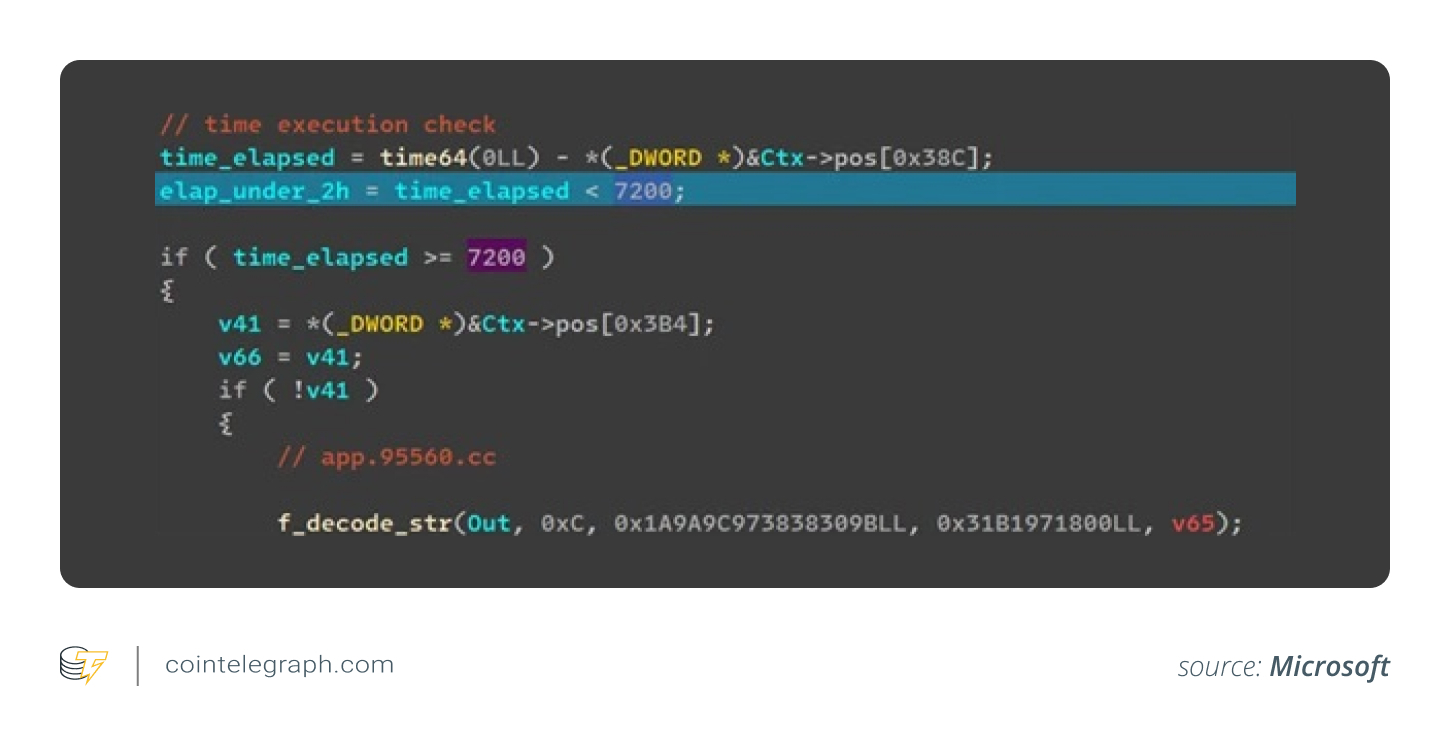
StilachiRAT confirms the presence of “tcpview.exe” and halts its execution. It would also postpone the initial connection by two hours to avoid detection. Once the connection is established, the malware transmits a roster of active windows to the server.
Observing RDP sessions
StilachiRAT observes RDP sessions by recording window details and replicating security tokens to assume user identity. For RDP servers hosting administrative sessions, this is a significant threat.
The malware could capture the active session while dynamically initiating foreground windows. Through this process, it could also enumerate all remaining RDP sessions. To acquire permissions for each identified session, it would access the Windows Explorer shell and make a copy of the security tokens or privileges. It uses the acquired permissions to launch applications.

Collecting user data and monitoring clipboard
StilachiRAT gathers diverse user data, including software installation logs and running applications. It observes active graphical user interface (GUI) windows, their title bar text, and file path and transfers the data to the command-and-control server. Access to this data enables scammers to monitor user actions.

The malware also has the ability to observe clipboard data. It can read the clipboard, use search patterns to extract text, and transfer this data to the server. Using this feature, scamsters can launch dedicated searches for passwords, cryptocurrency keys and potentially personal identifiers.

Did you know? While Google Chrome is available on macOS, its data storage and system integration are handled differently. MacOS neither uses a Windows registry nor follows the same file system structure or API conventions.
How does StilachiRAT evade detection?
Scammers can launch StilachiRAT as a Windows service or a standalone component. Regardless of the version in use, there is a system in place to ensure the security mechanism doesn’t remove the malware.
Role of observer thread
StilachiRAT has an observer thread that monitors the “EXE” and dynamic link library (DLL) files used by the malware. In case the files are missing, they are recreated using an internal copy obtained during initialization. The thread could also recreate the Windows service component by making the necessary modifications in the relevant registry settings and restarting it.

Removal of event logs and looping checks
To avoid detection, StilachiRAT removes event logs and performs continuous checks for analysis tools and sandbox timers that might block its full activation in virtual environments. It also obfuscates Windows API calls and encodes text strings and values using a custom algorithm, slowing down malware detection software.
StilachiRAT employs advanced API-level obfuscation techniques to hinder manual analysis. For example, instead of directly referencing Windows APIs like RegOpenKey(), the malware encodes API names as checksums, which are dynamically resolved at runtime, adding complexity to its concealment strategies.
The malware also prevents memory scans from detecting API references. It stores precomputed API checksums in multiple lookup tables, each with a specific XOR value. When executed, StilachiRAT selects the appropriate table based on the hashed API name and applies the correct XOR mask to decode the value. Additionally, cached function pointers are masked with another XOR value, making it difficult for direct memory scans to identify them.
How to mitigate malware like StilachiRAT from affecting your device
RATs may disguise themselves as legitimate software or updates. To minimize risk, it is important to download software directly from the official developer’s website or trusted sources. Use secure web browsers, which can detect and block phishing sites, scams and malware-hosting pages.
Organizations must use software that scans and rewrites email URLs, preventing phishing attacks. Safe attachments are another useful feature that provides an extra layer of protection by scanning email attachments for threats.
You need to activate network protection to block access to malicious websites and online threats. Before implementing the feature, audit the network protection feature in a test environment to identify any applications that may be affected.
The Microsoft report recommends organizations activate safe links and safe attachments within Office 365 to defend against harmful links and attachments in phishing and related attacks; operate endpoint detection and response systems in block mode; enable protections in Microsoft Defender against potentially unwanted applications (PUAs); and only use web browsers that support functionalities for automatically detecting and preventing malicious websites.
Real-time threat intelligence reduces the attack scope and empowers security teams to formulate detection protocols, modify network surveillance, and block malicious domains or actions before a comprehensive attack. Considering StilachiRAT’s evasive nature and capacity to steer clear of forensic analysis, timely detection is important to deter any damage.
Did you know? In February 2025, Bybit, a cryptocurrency exchange located in Dubai, experienced a record-breaking $1.5-billion loss due to a significant security breach, marking the largest crypto theft recorded.
Signs your device is infected with StilachiRAT
Although StilachiRAT is designed to be elusive, there are red flags that can signal its presence.
It’s crucial to identify these signs and take action before it’s too late.
- Unusual system behavior: Your device may run slower than usual, crash unexpectedly, or experience frequent freezes.
- Unauthorized access: Suspicious logins to online accounts or unexplained password changes could indicate credential theft.
- Increased network activity: StilachiRAT communicates with remote servers, which might result in abnormal data usage or network slowdowns.
- Unexpected pop-ups or applications: You may see unfamiliar software, browser extensions or unauthorized changes in settings.
- Clipboard and browser issues: If you discover copied text or cryptocurrency wallet addresses to be altered, it is a sign that the malware may be manipulating clipboard data.
How to remove StilachiRAT malware from your device
StilachiRAT’s presence on your device is a threat to your crypto holdings. To remove StilachiRAT from your device, follow these steps:
- Disconnect from the internet: This prevents the malware from communicating with remote servers, sending data or receiving instructions.
- Run a full security scan: Use a trusted antivirus or anti-malware tool to remove StilachiRAT. To be doubly sure, you could use more than one.
- Uninstall suspicious programs: Uninstall any suspicious or unknown applications from your system settings.
- Remove malicious browser extensions: Check your browser for unfamiliar extensions, especially in Google Chrome, and delete them.
- Reset system settings: Reset browser settings to remove lingering threats. You can generally find the option in the device’s settings menu.
- Update software and security patches: Keep your operating system and applications upgraded to prevent reinfection.
- Enable real-time network protection: Turn on an anti-malware solution that activates network protection for future security.
Best practices for securing crypto wallets on Chrome
Protecting your cryptocurrency on Chrome requires proactive measures. Below is a detailed breakdown of how to secure your crypto wallets on Chrome.
Select a secure wallet extension
Extensions like MetaMask and Trust Wallet stand out for their security features and wide adoption. However, make sure you download the extension from the official Chrome Web Store and not some suspicious platform that might be set up by the scammers. Before installing any extension, thoroughly research its developer, read reviews, and check for any security concerns.
Implement strong security practices
To protect yourself from malware, you need to implement strong security practices:
- Unique passwords: Use strong, unique passwords for your wallet and Chrome account and avoid reusing passwords across different services.
- Two-factor authentication (2FA): Enable 2FA for your wallet and Chrome account to add an extra layer of security.
- Keep wallet extensions updated: Keep your Chrome browser and wallet extensions updated to the latest versions to patch any security vulnerabilities.
- Secure your device: Protect your device with strong anti-malware software and firewalls.
- Check for phishing: Use tools like Wallet Highlighter to scan for suspicious wallet addresses on web pages. Never click on suspicious links or download software from untrusted sources.
Key measure for secure wallet management
Keeping with the following best practices for wallet management may help in keeping your crypto assets secure:
- Back up your seed phrase: If your wallet uses a seed phrase (also known as a mnemonic or recovery phrase), write it on a piece of paper and store it in a safe place.
- Use a password manager: To store and manage your wallet passwords securely, use a password manager.
- Regularly review transactions: Monitor your wallet activity regularly and check for any unauthorized transactions.
- Be cautious with DApps: Only interact with trusted and reputable decentralized applications (DApps).
Securing your cryptocurrency wallet on Chrome requires a multi-layered approach. By diligently implementing strong password practices, enabling 2FA, carefully vetting browser extensions and maintaining up-to-date software, you can significantly mitigate the risks associated with online wallet usage. Staying informed about emerging cyber threats and consistently following best practices could help safeguard your digital assets.
Telegram could be the key to reaching the first billion crypto users, but it’s not a competitor or a threat to other entry points like web browsers.
]]>
Chrome’s Privacy Sandbox tracks users’ behavior within the browser instead of relying on third-party cookies.
]]>
It’s an especially simplified process for American and Canadian Coinbase users, who can use their debit cards for transfers.
Powered by WPeMatico
]]>
XDEFI will challenge MetaMask’s dominance of the browser wallet space by offering a new user experience for decentralized finance and nonfungible tokens.
Powered by WPeMatico
]]>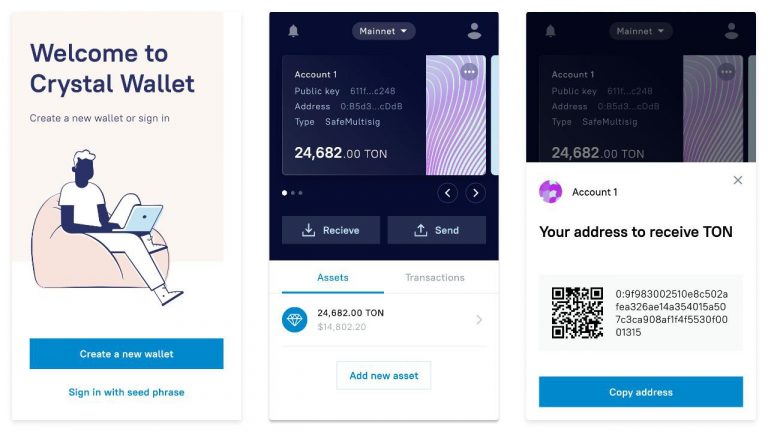 A highly scalable, decentralized blockchain platform gets a convenient browser wallet to facilitate dApps development. Crystal Wallet Metamask. Anyone who has worked with Ethereum for more than a week is familiar with this browser wallet. It lets countless decentralized applications (dApps) connect to Ethereum, send transactions, and interact with smart contracts. Metamask has become an […]
Powered by WPeMatico
]]> Google has removed 49 cryptocurrency wallet browser extensions after a security researcher discovered they were stealing private keys. These Chrome extensions targeted users of crypto wallets, such as Ledger, Trezor, Jaxx, Electrum, Myetherwallet, Metamask, Exodus, and Keepkey. Also read: Bitcoin Revolution: Wanna Earn $1,000 a Day? Government Warns About This Scam 49 Malicious Chrome Browser […]
The post Google Pulls 49 Cryptocurrency Wallet Browser Extensions Found Stealing Private Keys appeared first on Bitcoin News.
Powered by WPeMatico
]]>
With an increasing number of people looking to make use of privacy-focused web tools, Brave’s daily user count recently surged past the 4 million mark
Powered by WPeMatico
]]>
A study conducted by a privacy expert proves that Brave browser protects your privacy better than Chrome, Firefox or Safari
Powered by WPeMatico
]]> There are many different browser extensions or plugins that benefit cryptocurrency users, ranging from price trackers and wallets to those that help crypto users with security and privacy. Bitcoin.com has produced a video, listing 10 of the most useful browser extensions with explanations of how they can help crypto users. Also read: Central Banks Worldwide […]
The post 10 Useful Browser Plugins to Help Crypto Users appeared first on Bitcoin News.
Powered by WPeMatico
]]>